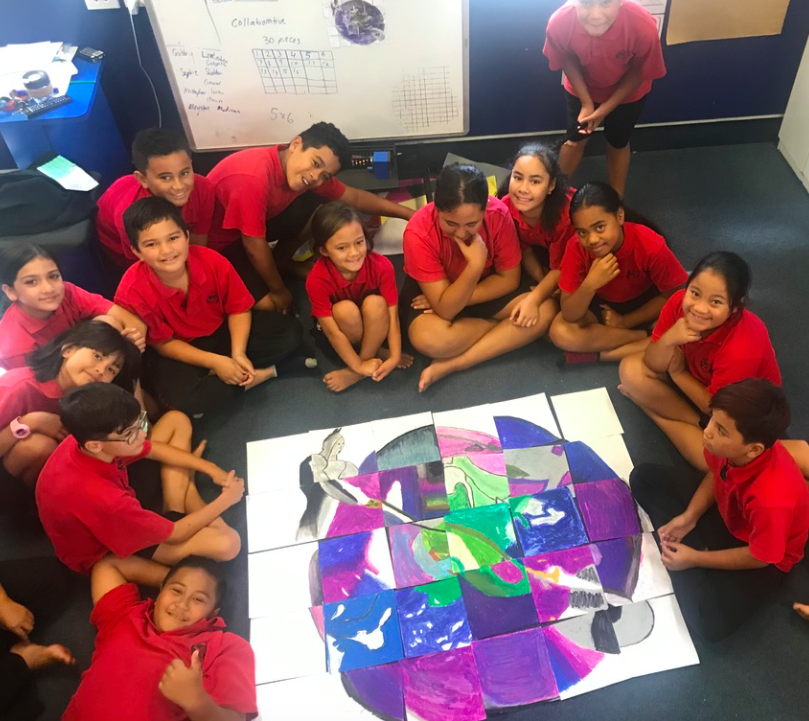
This term, the Year 7&8 extension class made visual texts using scratch (a coding programme) to share their understanding of a chosen Whakataukī/Māori proverb.
Check out some of their completed projects by clicking on their names!


This term, the Year 7&8 extension class made visual texts using scratch (a coding programme) to share their understanding of a chosen Whakataukī/Māori proverb.
Check out some of their completed projects by clicking on their names!
Wow! Check out these amazing photos taken by Aroha in year 2!! The year 2s have been taking photos of each other to show different emotions. Here are Aroha's photos of 'happy' and 'sad'. She edited the photos to match the emotions.


We have been fortunate enough to have had Tāmaki Regeneration sponsor us with a mini whale tail for the Whale Tales art trail!
In the first couple of weeks of term, classes from across the school participated by designing tails!
The Year 7 & 8 extension children then decided on their favourite designs. Ezekiel and Matelita, from year 7 & 8, had their designs chosen.
Ezekiel and Matelita then combined their designs before pencilling the final design onto the sculpture!
Our tail is looking amazing! Ezekiel's and Matelita's next step is now to begin painting the tail.
Here is Levi's Stop Motion Animation he made to show construction of his tower:
Remember to leave Levi a positive comment on his blog!
Aroha made a great Stop Motion Animation today using her iPad. She showed a toy elephant being sucked into the vacuum clearner! Oh no!
Remember to leave Aroha a comment on her blog!
Wow! Our year 1s have been showing their skills on their iPads by making Stop Motion Animations. Here is Michael's movie about two characters, Bob and Pou, playing soccer. Turn on the sound too as Michael has narrated his movie too!
Check out this amazing Stop Motion Animation made by Caylee in year 1! Go Caylee!!
This blog post is for anyone creating a stop motion animation on your chrome book! If you need to make your slides change quicker than every 1 second, follow these steps when you embed the slides in your blog post:
Are you wanting to give Stop Motion Animation a go but don't know where to start?! Use this movie to get your creativity rolling!
This week, some of the year 2s and 3s have started learning how to create Stop Motion Animations from home! We held a google meet to learn how to do it and then they had to use the camera and iMovie on their iPads to make their own!
Here are the first amazing animations that have come through:
Do you have an iPad?
Are you feeling like you want to get a bit creative?
Then this blog post is for you!
STOP MOTION - making an animation out of LOTS of photos!
Use these slides to help you get started!
If you are in Team 2 or Team 3 with an iPad, come along to the google meets with me this week!
Wednesday 2pm - Room 27
Thursday 2pm - Room 24 + any interested people from Room 22 & 23.
There will be more opportunities next week!
Do you think you are up for a Scratch Lockdown Challenge??
Here are 6 challenges to work through. How many can you complete?
Here is the Pt England News Network Episode from Monday 23 August 2021, during the Covid-19 Level 4 Lockdown.
Welcome to day 2 of the Creative Challenge from home!


Create your own song to explain what it is like to be stuck at home in lockdown.
1. Write some lyrics (the words you will be singing).
2. Come up with a tune (the music you will sing the words to).
3. Record yourself singing your song and post it on your blog.
OR
Create your own poem to explain what it is like to be stuck at home in lockdown. Record yourself performing your poem and post it on your blog.
FINALLY...
Remember to share it with Miss West so she can put it on PENN and give you your points for today.
AND...
Have fun!!!!
Kia ora Pt Englanders!
We are back at home but that doesn't mean being creative has to stop! We are going to have a creative challenge!!
There are 2 challenges for today...
Challenge 1: PENN
Create a short video clip of some learning you have been doing at home over the last couple of days and post it on your blog along with a description. Send Miss West an email at hwest@ptengland.school.nz to tell you have done this and for it to appear on the school news, PENN!

Challenge 2: Photo time!
We have started doing photography in creative space this term. Take a photo of a taonga/treasure and share it on your blog along with a description as to why it is a taonga AND why it is a great photo.
You can do this either through the camera on your chromebook or on another device you might have at home (with whānau/ parental permission). Make sure your whānau are happy with you sharing this item on your public blog. Send Miss West an email to let her know you have completed this challenge!
Try to be as creative as possible when taking the photo while remembering the kawa of care and how you treat your device!!